![OPI_with_Tag_RGB_300dpi_3in_tall-1.png]](https://knowledge.opisystems.com/hs-fs/hubfs/OPI_with_Tag_RGB_300dpi_3in_tall-1.png?height=50&name=OPI_with_Tag_RGB_300dpi_3in_tall-1.png)
Purpose: Use the rechargeable lithium-ion battery to temporarily power the Primary Cable Node during installation. Keeps the Primary Cable Node awake while provisioning and pairing Secondary Cable Nodes, reducing repeat trips up the bin.
|
Specs • 5200mAh rechargeable lithium ion battery • Input: DC 12.6V/2A • Output: DC 9.0 - 12.6V/2A max • Built in overcharge and discharge protection |
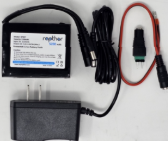
What's in the Box • Battery with male connector and power connector • DC power pigtail cable • Wall outlet charger |
Kit Components
|
Required Tool Small flat edge screwdriver
|


Installation Steps
|
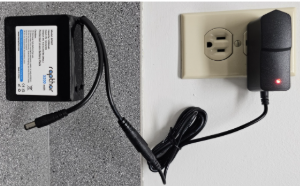
1. Charge the battery Fully charge the supplemental battery before arriving onsite so the Primary Cable Node has maximum uptime during installation.
|
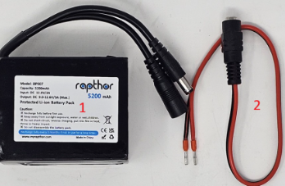
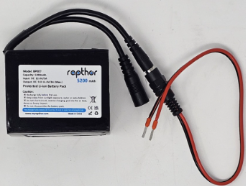
2. Connect the pigtail cable Connect the male connector on the battery to the female connector on the DC power pigtail cable. This is typically done for the first Primary EPIQ Cable Node installed onsite.
|
|
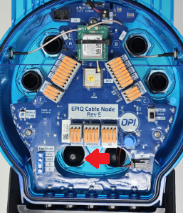
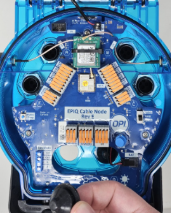
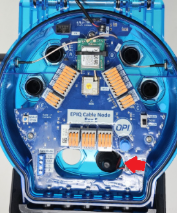
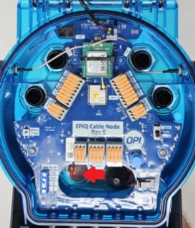
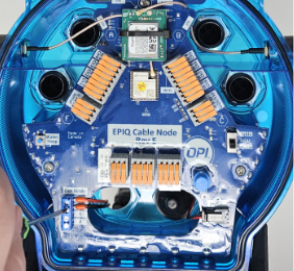
3. Remove the fitting plug Remove the front left fitting plug from the bottom of the Primary Cable Node. Store the plug inside the node so it can be replaced when the installation is complete.
|
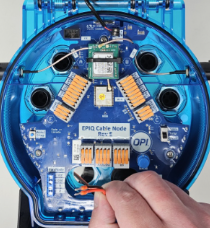
4. Feed the pigtail through Feed the power pigtail cable fully through the opening in the Cable Node.
|
|
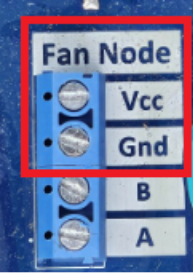
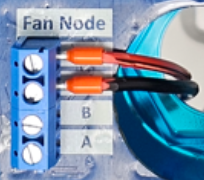
5. Loosen terminals Using the small flat edge screwdriver, loosen the Vcc and Gnd screw terminals.
|
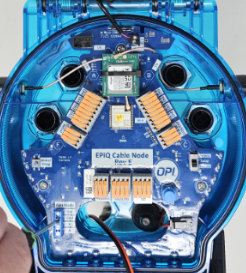
6. Terminate wires Place the RED wire into Vcc and the BLACK wire into Gnd. Tighten both screws to secure the wires.
|
|
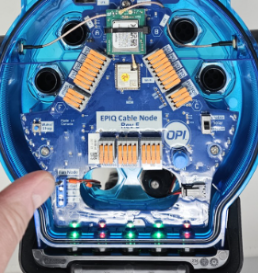
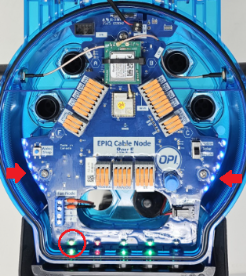
7. Verify power and network Halo LEDs on the side of the Cable Node will flash blue. The Cellular LED may take a few minutes to turn GREEN, confirming cellular connection. Connect cables and other sensors, provision the node, then pair Secondary Cable Nodes while the Primary remains awake.
|
8. Finish and reset for next install After all EPIQ Cable Nodes are installed and Secondary Cable Nodes are paired, return to the Primary Cable Node. Disconnect the supplemental battery and replace the fitting plug. |
Reminder: Charge the supplemental battery pack before the next installation.