![OPI_with_Tag_RGB_300dpi_3in_tall-1.png]](https://knowledge.opisystems.com/hs-fs/hubfs/OPI_with_Tag_RGB_300dpi_3in_tall-1.png?height=50&name=OPI_with_Tag_RGB_300dpi_3in_tall-1.png)

EPIQ Node Line Power Connection Procedure
There are situations in which an EPIQ Cable Node must be line‑powered. The two most common scenarios are as follows:
- Indoor storage installations: When the node is located inside a building or structure where the solar panel cannot receive adequate sunlight to charge the battery.
- High sensor load: Each temperature sensor has a value of 1, and each moisture sensor has a value of 3. If the total equivalent sensor count for a Cable Node exceeds 300, line power becomes necessary.
The procedure below outlines the required steps to install line power for each node.
Required and Recommended Tools
1.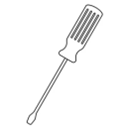
Figure 1 Small Flat Edge Screwdriver (required)
2.
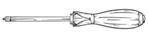
Figure 2 Small Philips Screwdriver (required)
3.
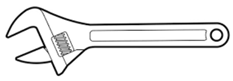
Figure 3 Adjustable Wrench (recommended)
4.
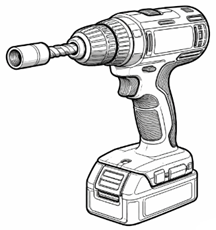
Figure 4 Cordless Drill With 3/8" Nut Drive Bit (required)
Step 1
Mount the EPIQ Power Panel enclosure at the desired location using four 3/8” self‑tapping screws. In most cases, it should be installed at eye level (approximately 5 ft or 1.5 m) for easy access and to allow a certified electrician to run power to the enclosure. Depending on site conditions, the enclosure may need to be mounted in an alternate location. The key requirement is that it remains accessible and that the cable to the EPIQ Cable Node can be routed without major obstructions.
Step 2
With the EPIQ Cable Node installed in its designated location, adjust the Node to a 90º angle with the blue latch facing upward. This can be done by loosening the 7/16” nut on the top of the foot mount. Positioning the Node this way provides the best access to remove the plug on the left‑hand side and replace it with the required ½” fitting.
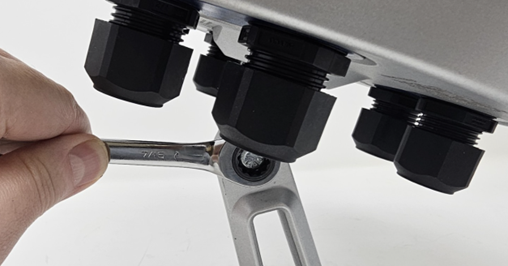
Figure 5 Use the 7/16" Wrench to Change the Angle of the Node
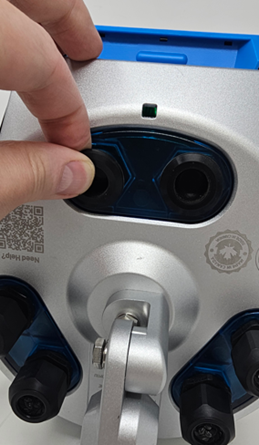
Figure 6 Grab the Lip of the Plug
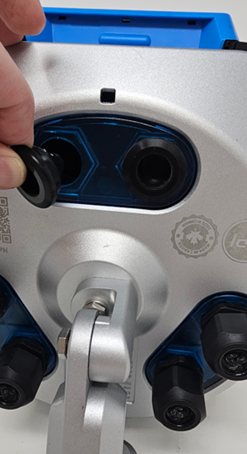
Figure 7 With Minimal Force the Plug Should Easily be Removed
Step 3
Secure the required ½” fitting into the opening where the plug was removed.
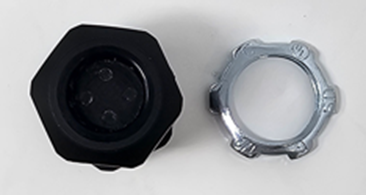
Figure 8 1/2" Fitting with Eye Nut
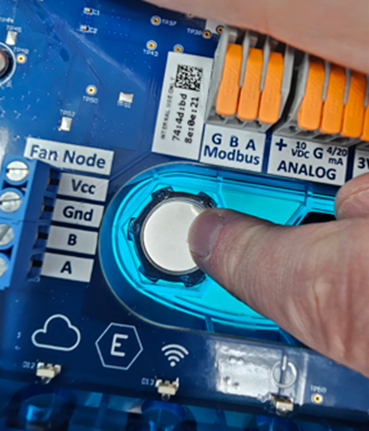
Figure 9 Align the Eye Nut on the Inside of the Opening
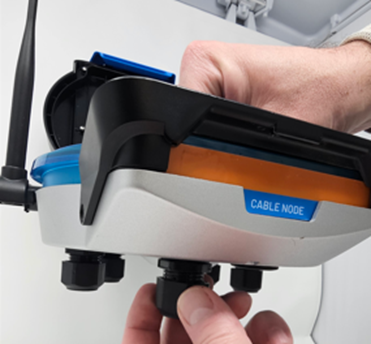
Figure 10 With a Finger Holding the Eye Nut in Place Screw the Fitting Securely into Place
Note: Tray‑rated cables are the recommended connection between the EPIQ Cable Node and the Power Supply Enclosure. In certain geographic areas, tray‑rated cables are mandatory whenever conduit is not used. Since conduit is not typically installed in most non‑commercial applications, tray‑rated cable should be used by default to ensure compliance and durability.
Step 4
Use the small Philips Screwdriver to make getting the interconnect cable through the gland on the ½” fitting easier.
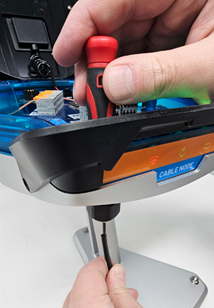
Figure 11 Puncture Gland with the Screwdriver & Line Interconnect Cable up with the End
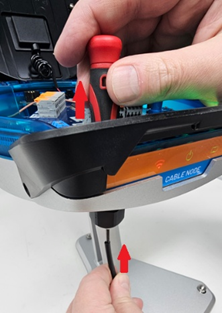
Figure 12 Push up Against the Tip of the Screwdriver While Pulling up on the Screwdriver
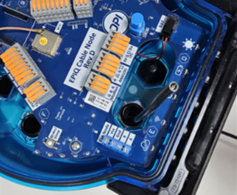
Figure 13 Interconnect Through the Cable Node Fitting
Step 5
Expose the Black & White wires so they can be terminated
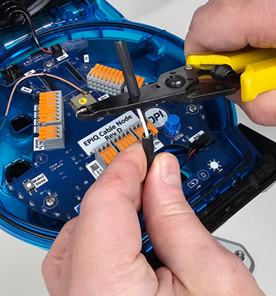
Figure 14 Remove the Outer Jacket to Expose Black & White Wire
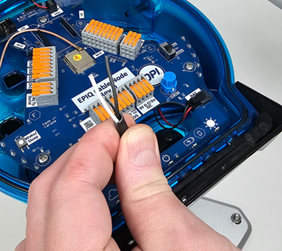
Figure 15 Exposed Black & White Wires
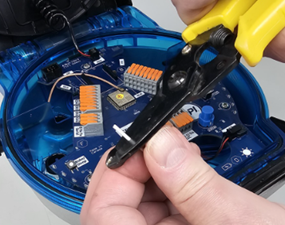
Figure 16 Strip Black & White Wires
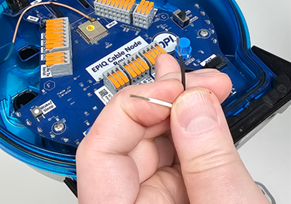
Figure 17 Bare Black & White Wires Exposed
Step 6
Using the small screwdriver connect the exposed Black & White wires in the noted Fan Node VCC and Gnd terminals.
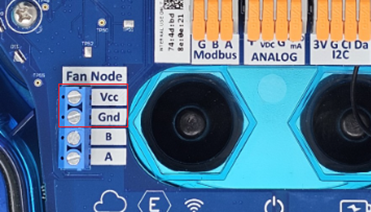
Figure 18 Fan Node Terminations
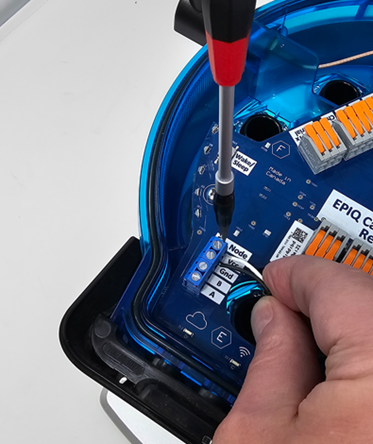
Figure 19 Terminate White Wire in VCC & Black Wire in Gnd
Step 7
Connect the 2-wire Interconnect cable into the Power Supply Enclosure.
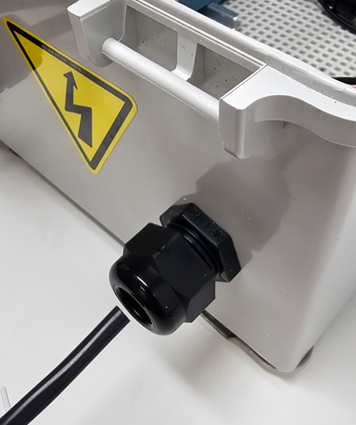
Figure 20 Feed Interconnect into Power Panel Enclosure Through 1/2" Fitting
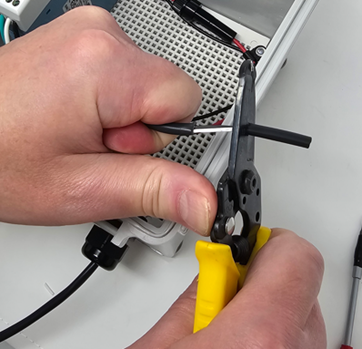
Figure 21 Remove the Outer Jacket to Expose Black & White Wire
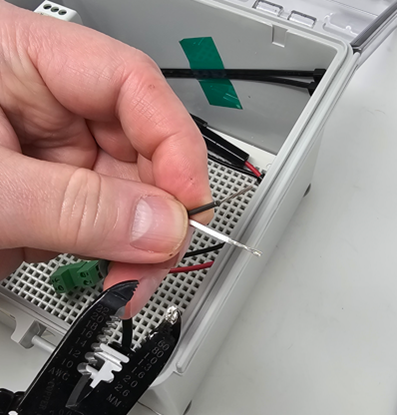
Figure 22 Strip Black & White Wires to Expose
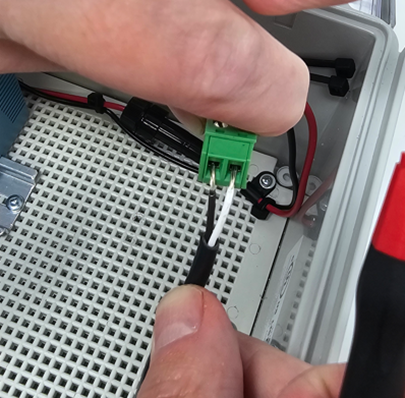
Figure 23 Connect the Black & White Wires into Green Female Connector
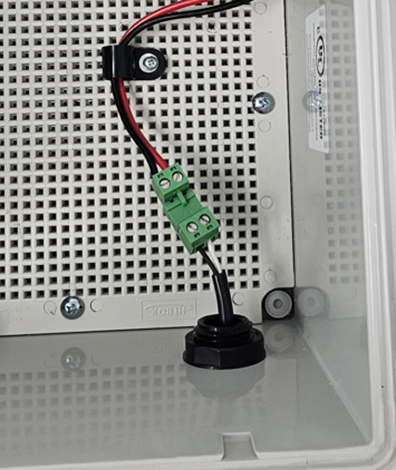
Figure 24 Connect Green Female Connector to the Green Male Connector
Step 8
Connect the Power Supply by plugging into an outlet or hardwiring (electrician required)
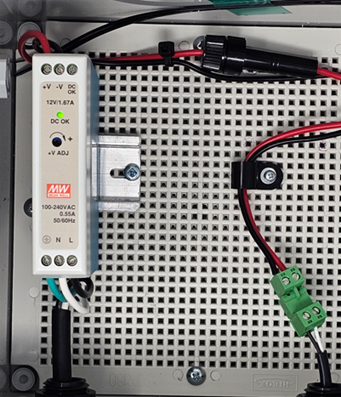
Figure 25 Once Power is Connected the Green Light will Illuminate
Step 9
Validate line power is connected on the EPIQ Cable Node
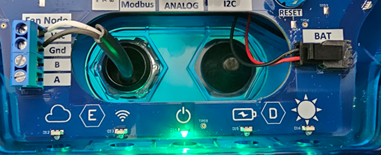
Figure 26 Line Powered Cable Node