![OPI_with_Tag_RGB_300dpi_3in_tall-1.png]](https://knowledge.opisystems.com/hs-fs/hubfs/OPI_with_Tag_RGB_300dpi_3in_tall-1.png?height=50&name=OPI_with_Tag_RGB_300dpi_3in_tall-1.png)
An easy troubleshooting option we recommend checking first is the setting under Bin Parameters in ManageGrain.com.
If your Table View shows like the image below:
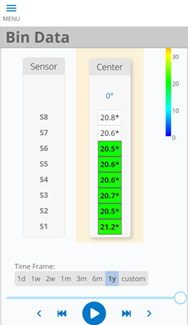
If your Table View shows like the image below:
Go to Sites and Bins – Bins – Select the bin in which this cable is assigned to and then click Edit on the right-hand side.
On Step 3: Edit Bin Parameters, check that the Grain Level – Sensors in Grain is filled out as 8, rather than the assumed 6 that are reporting a colour code.
The bin fill volume will be checked off as “set manually” for this setting: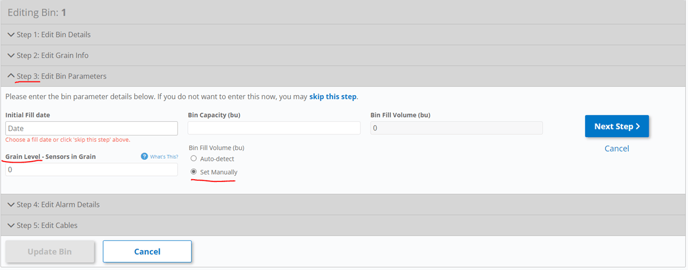
Please note: we do not use the Auto-Detect feature for OPI BLUE Lite.
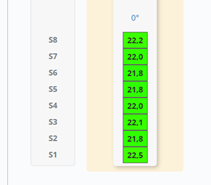
In this scenario, the setting adjustment was successful in reporting the top 2 sensors as in-grain and providing a colour code: